Your Infrastructure.
Our Learning Experience.
Run industry-standard Docker labs directly on your local machine. BYOD mode provides native performance, zero latency, and allows for complex multi-node orchestration scenarios like Docker Swarm.
Native Speed
No virtual network overhead. Containers run directly on your hardware with full CPU and memory access.
Privacy & Security
Your data never leaves your system. Lab containers are isolated and clean up automatically after use.
Cluster Mastery
The only way to master Docker Swarm and complex networking is on a real cluster—your own.
Prerequisites
Ensure Docker is ready on your system.
Official Downloads
Quick Install Scripts
Linux / macOS (via curl)curl -fsSL https://get.docker.com -o get-docker.sh
sudo sh get-docker.sh
The BYOD Flow
How to launch a lab in 3 simple steps.
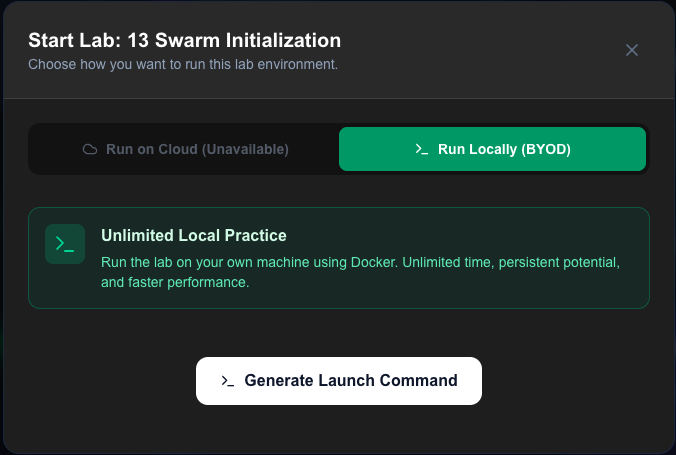
Generate Launch Command
Navigate to any lab on the Labs Page. Click Start Lab and select the Run Locally (BYOD) option. Choose your OS and click "Generate Command".
- Secure session token included
- Valid for 5 minutes
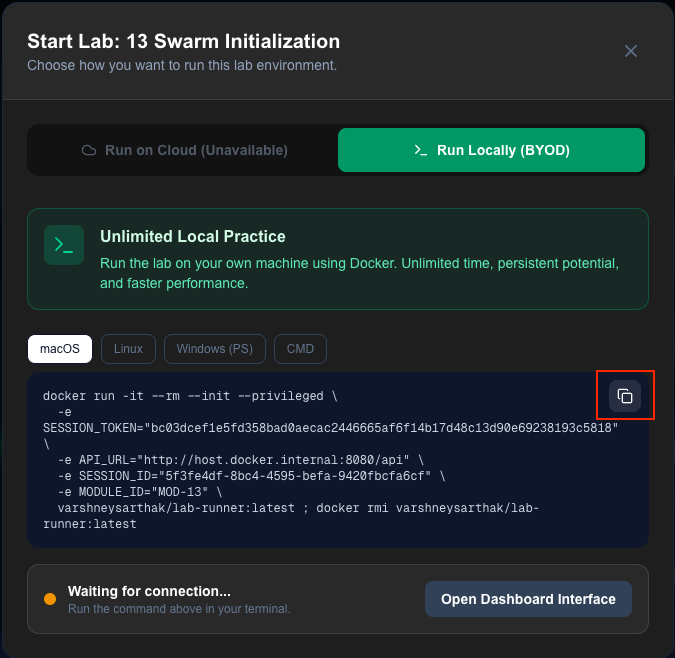
Run in your Terminal
Copy the generated command and paste it into your preferred terminal application (iTerm2, Windows Terminal, or native shell). Ensure your Docker daemon is running before executing.
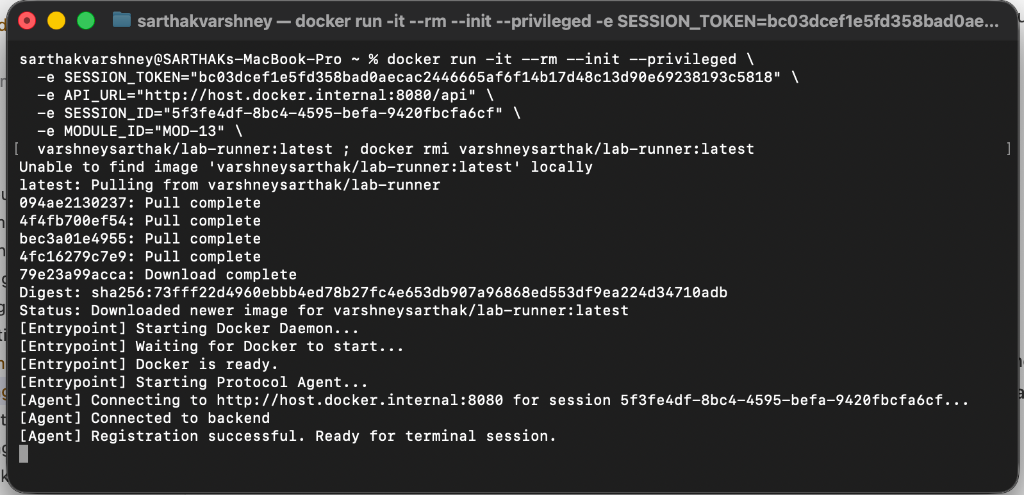
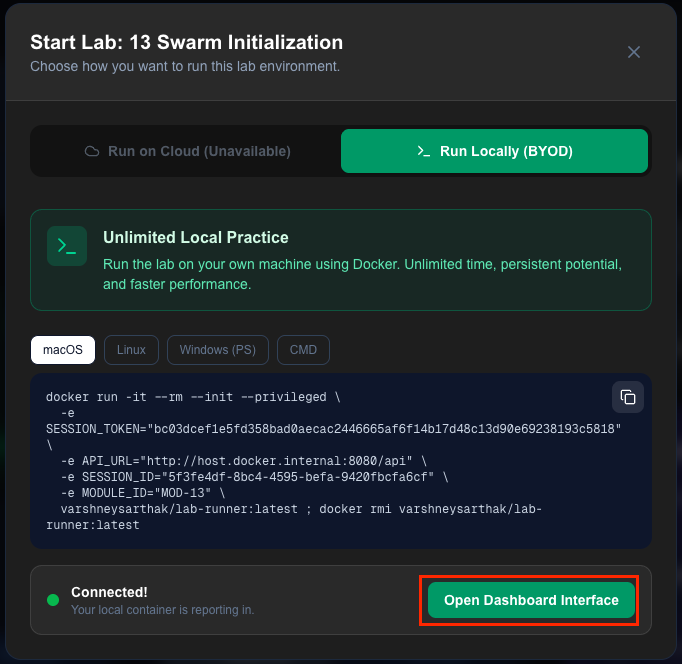
Click "Connect"
Once the container starts, return to the lab modal and click the **Connect** button. DockerHOL will automatically establish a secure tunnel to your local lab agent.
Start Mastering Docker Now
Join thousands of developers learning with DockerHOL. The most interactive way to learn infrastructure.